
Enterprise Productivity Suite
Gain’s advanced features have been specially designed for financial reporting teams looking to bring their process to the next level.
Best of all: the suite continues to expand and improve as we design better ways to communicate, automate, and control the filing process.

A Platform for Collaboration and Communication
Eliminate siloed email chains and fragmented message threads. Contextual Comments create dialogues within in-process sections of your statement.
- Directed Discussions: Tag colleagues using @mentions to trigger instant email notifications with deep-links to the exact section requiring attention.
- Transparent Workflow: Monitor collaboration at a glance via the Progress Dashboard and status indicators.
- Comment Report: Track outstanding conversations and unresolved issues throughout the reporting period.
Advanced Data Management (ADM)
Seamlessly import data from any source.
ADM provides a flexible, structured pathway to import external data using the Custom Text Files (G-File) format.
- Embedded Error Handling and Data Review: Upon upload, Gain’s preview feature allows you to resolve issues before committing data to your schedules.
- Built for Complex Data: Supports multi-table imports, configurable zero-handling, and test imports in a dedicated sandbox so your live statements stay protected.
Gain Empowers Financial Reporting Teams with Enterprise-Level Features
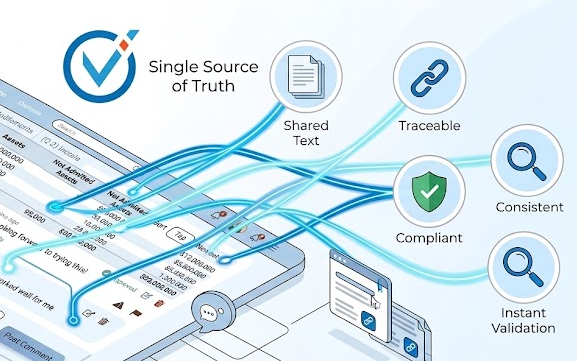
Templated Notes Text – Updated Once, Reflected Everywhere
Gain automates Notes content across entities:
- Leverage Common Text: Manage values (such as DOI name or domiciliary state) in a central data library for re-use across reporting entities
- Effortless Scaling: A single note template drives content across multiple entities, and Smart Tags automatically pull the correct localized value for each destination
Advanced Section Permissions
Maintain strict control over who can edit sensitive data while preserving visibility for the rest of the team.
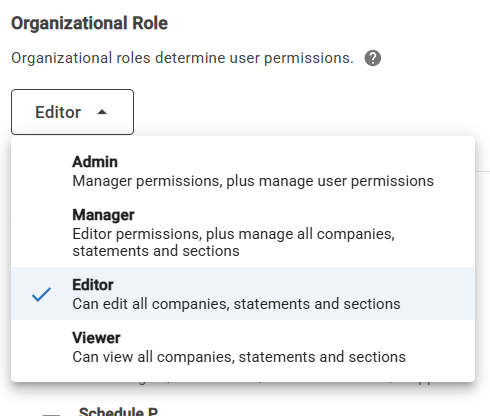
- Precision Access: Admins can assign Editor rights to specific sections of a filing, ensuring specialists only touch the data they are responsible for.
- Scalable Security: Permissions persist across future filings, reducing the administrative burden of user management.
Learn more about Gain’s permission administration features.
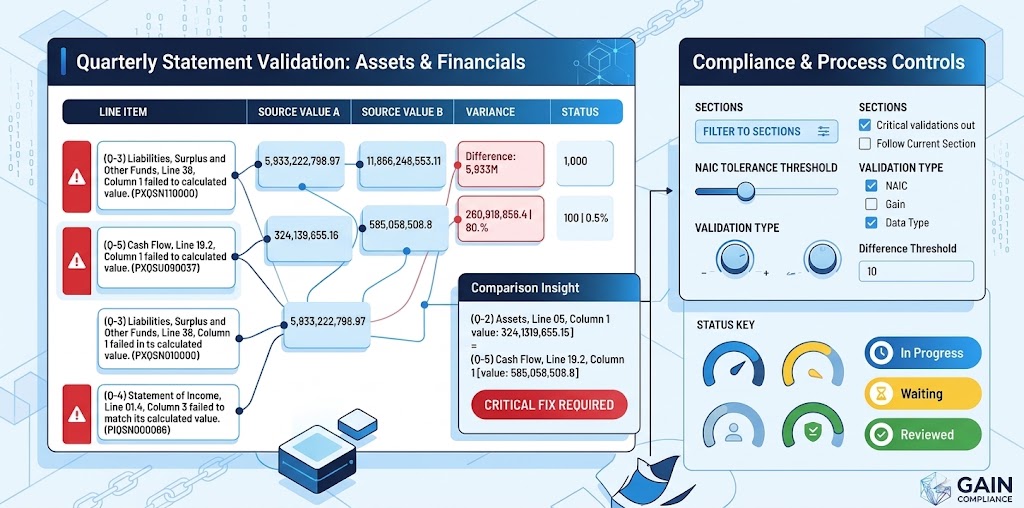
Tools to Manage a Complex Validation Process
Gain’s Advanced Validation workbench provides insight and efficiency for your cross checks, enabling a structured review process that ensures nothing falls through the cracks. Assign statuses like In Progress, Waiting, and Reviewed to specific validations. Generate in-progress reports through filtering by attribute, and update statuses, notes, and NAIC filing explanations across multiple entries in one motion.
Single Sign-On (SSO)
Simplify the login experience while bolstering your organization’s security posture.
- Corporate Integration: Access Gain Compliance using your existing corporate credentials via SAML.
- Centralized User Management: Your IT department manages access, ensuring that de-provisioning is handled instantly at the corporate level.

Next Level Support
At Gain, you’re always supported by a Customer Success expert.
With the Enterprise Productivity Suite, our dedicated customer support model is leveled-up. Your dedicated Customer Success Manager will bring a depth of experience and knowledge around supporting the industry’s most complex filing needs and will be an active partner in leveraging the suite to add efficiencies to teams’ reporting workflows.
Built on Cloud-native Architecture
We’ve been hard at work since 2016 with one goal: building the absolute best statutory financial reporting solution. Learn more about the core features that serve as the foundation for Gain’s platform.